What's new
Every release, newest first. Downloads and full notes for each are on GitHub.
v1.7.9: a still desktop stays still
- A still desktop stays still: the screen no longer twitches every few seconds on a still desktop. When almost nothing has changed - a blinking text cursor, the mouse, a clock - VRX3D keeps the depth it has instead of working it out again. Scrolling, video and games get fresh depth as before.
- It needs Windows 11 24H2 or later, which reports the parts of the screen that changed; on older Windows nothing changes.
v1.7.8: your desktop, without leaving VR
Step out of the game for a moment and VR follows you to the desktop - then back into the game.
- Show the desktop when you leave the game: press Ctrl+Esc, the Windows key or Alt+Tab while you play, and VR shows the display the game is on - the Start menu, your desktop, whatever you opened. Go back into the game and VR shows the game again. Nothing is minimised or restarted, and the game card says "Desktop" while it is showing.
- Carry on when the game closes: close the game and VR keeps showing your desktop until you press Stop VR, instead of ending.
- Steady switching: SteamVR's own windows and the Steam overlay do not trigger it, and a quick flicker of focus does not flip the picture.
- Your choice, per game: it is on by default; turn it off in Expert's SteamVR & shortcuts section.
Linux 1.0.0 (experimental): VRX3D on Linux
The first Linux release: the same renderer, ported to Vulkan, with the depth model, the room, the curved screen, the ambilight, steady depth and frame timing, and a desktop app with the same Easy and Expert modes. Depth needs an NVIDIA graphics card (CUDA). See VRX3D for Linux for the download and what you need.
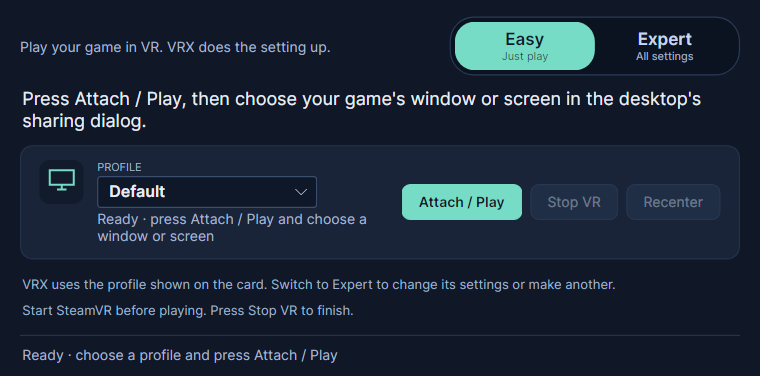
v1.7.7: choose what to play
Pick a game - or your whole screen - from live pictures, and play it in VR.
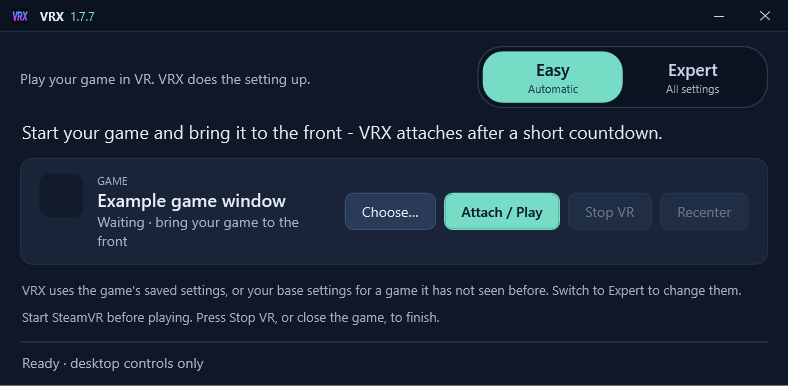
- Choose… - a new button on the game card. It shows every window you could play as a tile with a live picture, most recently used first (like Alt+Tab), plus a tile for each display. Click one and it plays straight away. The chooser can be resized and maximised, and remembers its size.
- Whole screen: play everything on a display in VR - your desktop, a video player, anything that is not copy-protected - until you press Stop VR. Tip: minimise SteamVR's VR View, or move it to another display, or you will see a screen inside the screen.
- Plain words when Windows blocks it: if Smart App Control or an antivirus stops VRX3D's 3D engine, the app now explains what happened and what to do. See Windows warnings.
- Built in the open: releases are now built by GitHub Actions from the public source, with every input pinned, ready for code signing.
v1.7.6: a compact Easy window
In Easy mode the window now shrinks to just what it shows: the Easy/Expert switch, your game and a few hints. VRX3D also has its own look, with a navy, teal and white title bar showing the logo and version, and dark controls throughout.
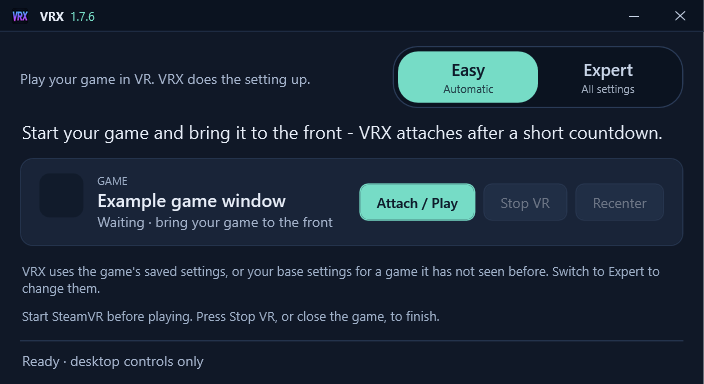
Install it, start your game, put your headset on. Easy mode notices the game you bring to the front, counts down for a few seconds and attaches by itself - no lists to pick from and no settings to learn. Switch to another window during the countdown to cancel.
- Ready out of the box: a new install starts with the room already set up: walls lit by the picture, a touch of glass and reflections, and a soft room light.
- Your settings, kept per game: Easy never changes them; each game remembers how you set it up.
- Expert when you want it: one click shows every setting, grouped into sections you can fold away - screen, room, 3D and depth, SteamVR and more. Expert remembers its own window size and position.
v1.7.5: Easy mode
Install it, start your game, put your headset on. In Easy mode VRX3D notices the game you bring to the front, counts down for a few seconds and attaches by itself - no lists to pick from and no settings to learn. Switch to another window during the countdown to cancel.
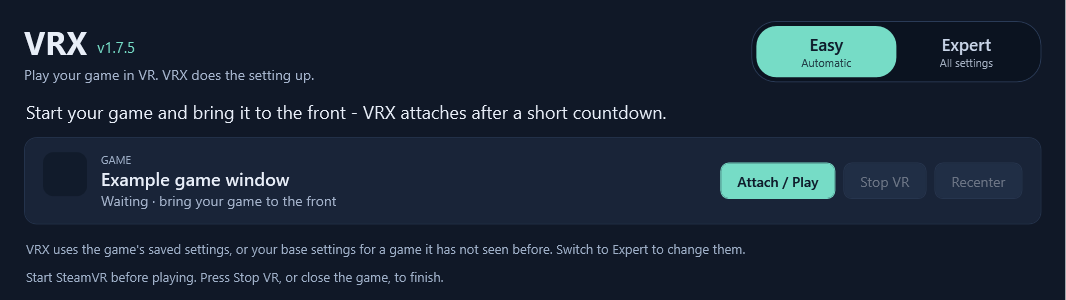
- Ready out of the box: a new install starts with the room already set up: walls lit by the picture, a touch of glass and reflections, and a soft room light.
- Your settings, kept per game: Easy never changes them; each game remembers how you set it up.
- Expert when you want it: one click shows every setting, grouped into sections you can fold away - screen, room, 3D and depth, SteamVR and more.
Earlier releases
- v1.7.1 · 21 September 2026
- A fast start: shaders come pre-compiled, SteamVR's menu is closed at the start, and the session ends cleanly when the game exits.
- v1.7.0 · 21 September 2026
- A room around the screen: walls, floor and ceiling lit by the picture, with glass walls, reflections and a room light.
- v1.6.0 · 21 September 2026
- A curved screen, an ambilight glow around it, a world colour, and "Apply to all".
- v1.5.0 · 20 September 2026
- Smooth depth steps: no more ridges on grass, roads and walls. "Make base settings" for new games.
- v1.4.0 · 19 September 2026
- Game frame timing: hold the game image back so it lines up with the depth.
- v1.3.0 · 19 September 2026
- Steady depth with the graphics card's motion vectors, and fusing with Depth Anything V2.
- v1.2.0 · 18 September 2026
- Depth on a second graphics card, so it no longer competes with the game.
- v1.1.0 · 18 September 2026
- ZipDepth: much faster depth by default, so the 3D keeps up with the game.
- v1.0.0 · 17 September 2026
- The first packaged release for Windows.